
How to use the Endurance Planner
A free shared stint and pit strategy planner for sim racing. One room code, your whole team on the same plan, everyone seeing times in their own timezone. No account, no install. Set up takes about five minutes.
1 Create a room
Open the planner, enter a race name, set the race duration (hours and minutes, or tap a preset like 6h or 24h) and press Create Room. You get a short room code, for example DEMO1.
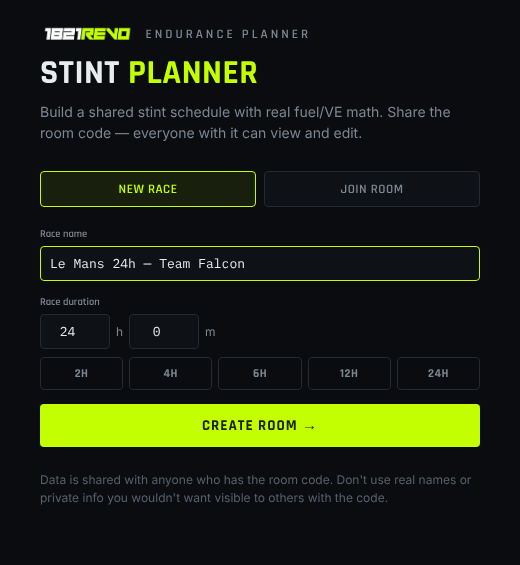
The New Race tab. Races like 1h 40m work too: type 1 hour and 40 minutes.
2 Add your drivers
In the Drivers panel, type a name and press +. Each driver gets a colour that is used in the timeline and the stint list. Spotters are picked from the same list, so you only enter each person once.
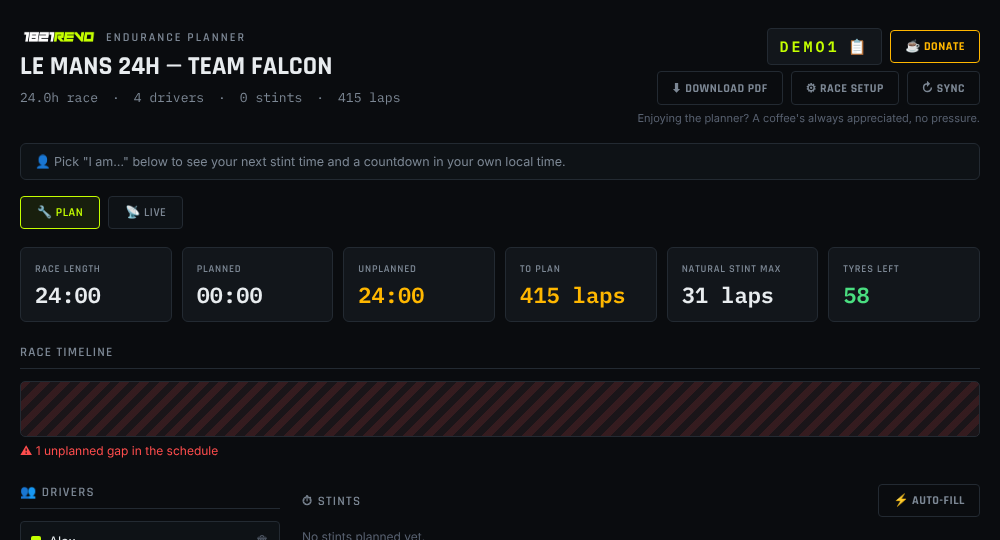
A new room: header, race stats, empty timeline and the driver list.
3 Enter the race setup
Press Race setup. This is where the planner learns about your car so the maths is right.
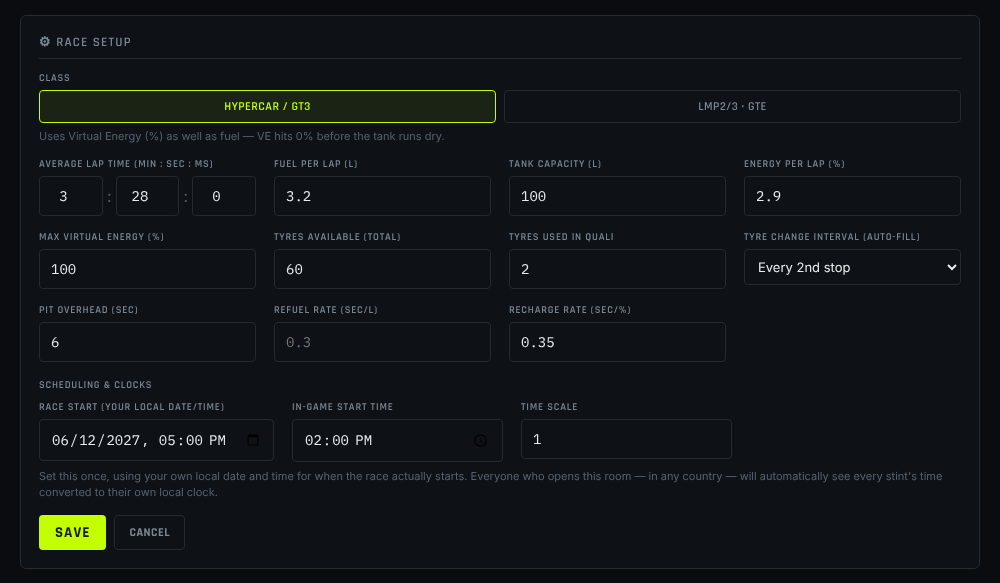
Race setup for a Hypercar. Switch to LMP2/3 · GTE and the Virtual Energy fields are replaced by fuel.
| Setting | What to enter |
|---|---|
| Class | Hypercar / GT3 refuel with Virtual Energy (%). LMP2/3 · GTE refuel with fuel (litres). |
| Average lap time | Minutes : seconds : milliseconds, for example 3 : 28 : 0. Use your real race pace. |
| Fuel per lap / Tank | From your own testing. Used to work out the longest possible stint. |
| Energy per lap / Max VE | Hypercar and GT3 only. The stint ends when either fuel or VE would run out first. |
| Tyres available / used in quali | Your tyre allocation, so the planner can show how many you have left. |
| Pit overhead, refuel / recharge rate | Your own pit lane numbers. Pit stop time is calculated from these, plus tyre time (Le Mans Ultimate: 12 seconds for 3-4 tyres, 5 seconds for 1-2 tyres), plus a driver swap allowance. Hover the ? next to each field for a short explanation. |
| Tyre change interval | Used by Auto-fill: every stop, every 2nd or every 3rd. |
| Auto-fill strategy | Flat out uses the natural stint length. Fuel saving stretches every stint by 1 lap at the same pace (you must save fuel or energy to make it), which can remove a pit stop. Tick Show +1 safety lap to see the lap count with one extra lap as a buffer. |
| Race start | The real date and time the race starts, in your local time. Everyone else sees it converted to theirs. |
| In-game start time / time scale | Optional. Shows the in-game clock next to each stint. |
4 Auto-fill the stints
Press Auto-fill. The planner simulates the whole race stint by stint: max laps per stint from your fuel / VE, real pit stop time taken off the race clock, and it keeps going until the race clock runs out (the lap in progress is completed, like a real timed race).
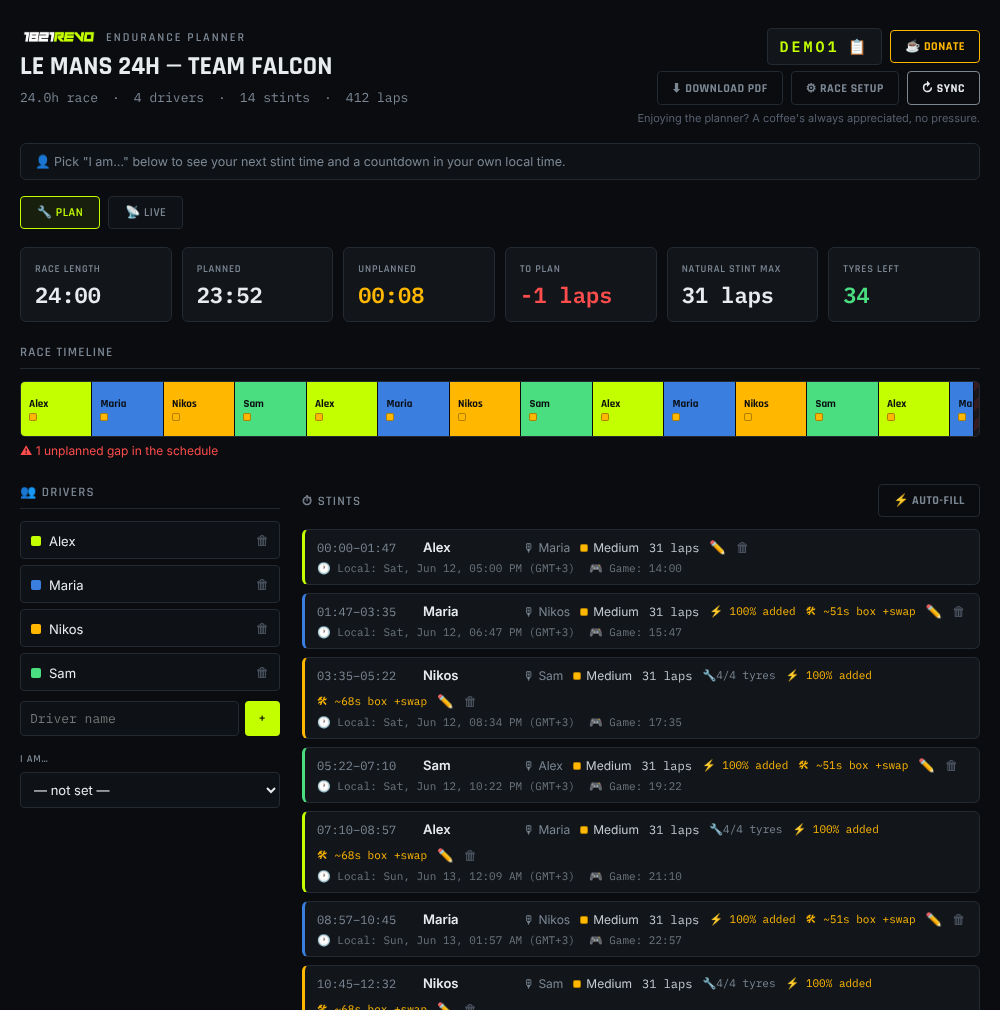
A full 24 hour plan in one click. Every stint and pit stop shows your local clock time, plus tyres and pit stop length.
Auto-fill leaves the drivers empty so you decide who drives when. Press the pencil on a stint to pick the driver and an optional spotter.
Above the stint list you can switch between three timeline views:
- Timeline: the whole race as one bar. Best for a quick overview.
- Detailed: a scrollable timeline with a mini-map bar. Every pit stop gets a card showing fuel or energy added, tyres changed (flashing red when tyres are changed) and driver swaps.
- Race lanes: one lane per driver, so you see who drives when. Scrolls sideways with the mini-map on long races. Every block shows laps, local clock time, tyre compound and fuel saving, with the pit stops in their own lane.
Tyre compounds are colour coded: soft white, medium yellow, hard red, wet blue. All times use your local clock, and the header shows a live clock.
5 Add or edit stints by hand
Use + Add stint (or the pencil icon on an existing stint). Choose the driver and spotter, then enter the start minute and the number of laps. The planner shows how long that is, when the driver needs to be at their PC in their local time, and the pit stop time for the stop before the stint.
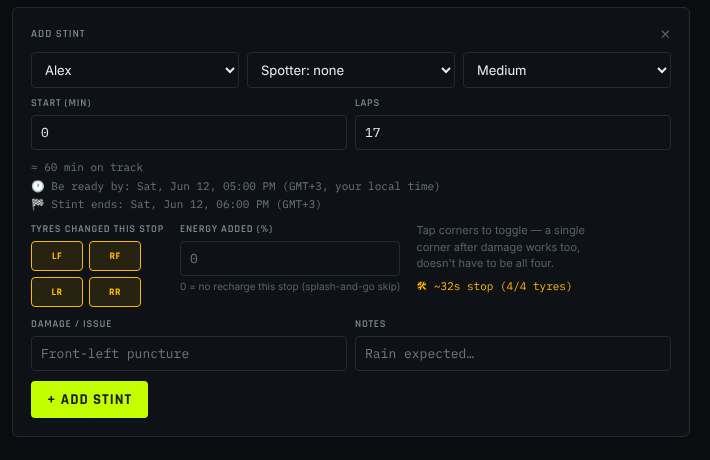
- Tyres changed this stop: tap LF, RF, LR, RR individually. After a puncture you can change just one corner.
- Energy added (%) / Fuel added (L): how much you refill at the stop.
0means no refuel (for example a splash-and-go skip). - Pit stop time after this stint (sec): optional. Enter the total time you expect to spend in the box for the next stop (a repair, damage, a slow stop). It replaces the calculated stop time, and every following stint shifts to match. Leave it empty to use the calculated time.
- Damage / issue and Notes: anything the team should know, such as "front-left puncture" or "rain expected".
6 Share it with your team
Click the room code at the top to copy the invite link and post it in your team's Discord or WhatsApp. Anyone who opens it joins the room straight away.
Pick your name under I am… in the driver panel. The planner then shows your next stint, the time to be ready in your own timezone and a countdown. In a 24 hour race nobody has to ask "what time is that for me?".
7 Run the race in Live mode
Switch from Plan to Live. The current stint is highlighted and you can tick stints off as they finish. If something changes (safety car, damage, an extra stop), edit the next stints and Sync.
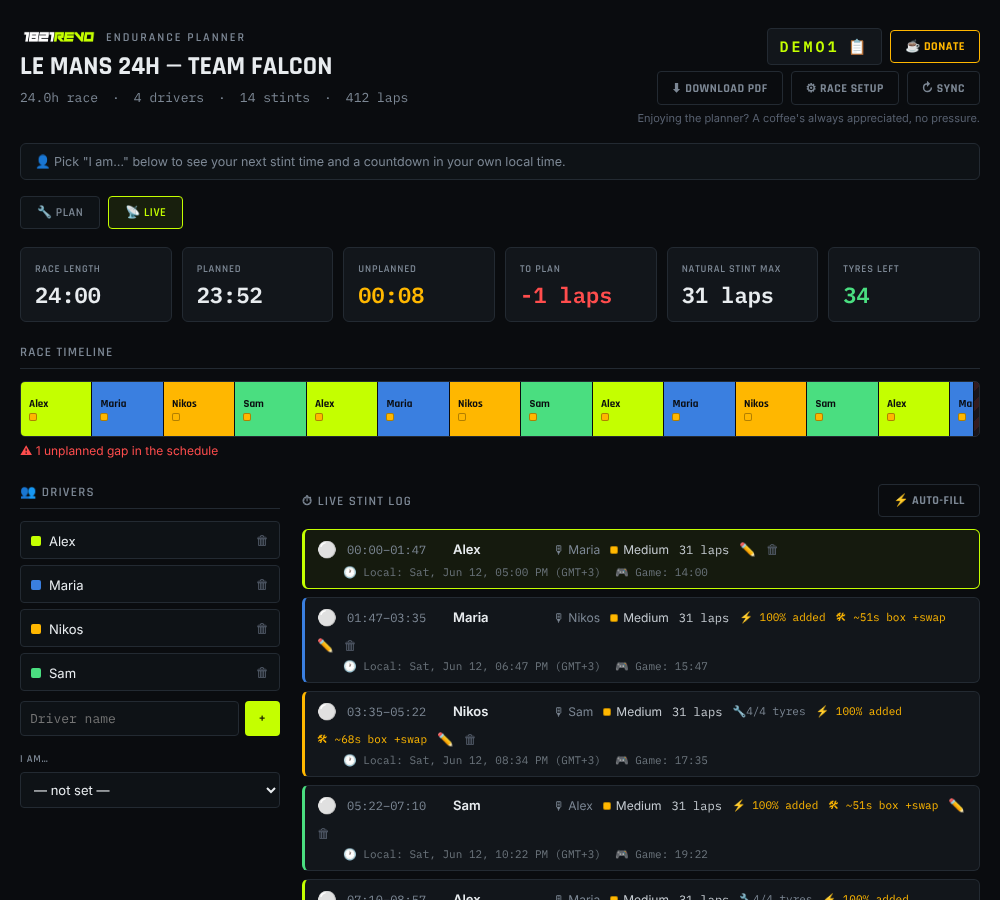
Live mode with the timeline and stint list.
8 Export a PDF
Press Download PDF for a dark-themed printout of the whole plan: race details, drivers and every stint with times and tyres. Handy to keep open on a second screen or phone.
Questions
Is it really free?
Yes. No ads, no account, no paywall. If it helps your team and you want to buy me a coffee, there is a donate button in the app. It is completely optional.
How long does a room last?
60 days after you last open or edit it. After that it is deleted automatically.
Is my plan private?
Anyone with the room code can view and edit it. Share the code only with your team, and don't put anything private in names or notes.
Why don't I see my team mate's change?
Press ↻ Sync. Changes are only loaded when you ask for them.
The numbers look different to my own calculations.
Check lap time (the last box is milliseconds), fuel / VE per lap, and your pit overhead and refuel rates in Race setup. The planner is only as accurate as the numbers you enter.
Which sims does it work for?
It is built around Le Mans Ultimate, but the maths is generic, so it works for any endurance race where you plan fuel or energy stints.
Ready to plan your race?
Free, no sign-up. Create a room and send the link to your team.
Open the planner → ☕ Buy me a coffee